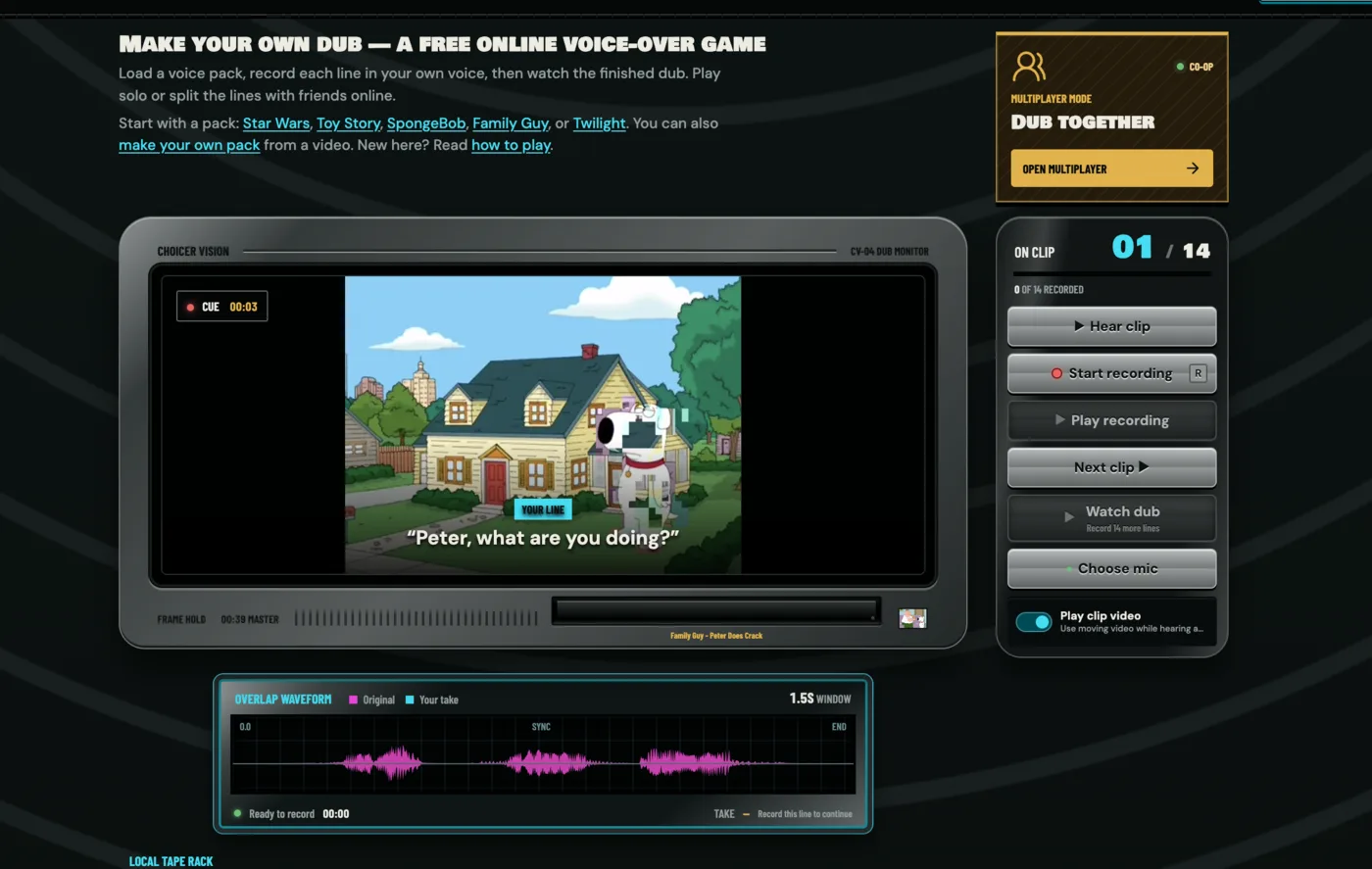
To play multiplayer, open the Choicer Voicer studioand press Open multiplayer in the top right. Before you do, send your pack ZIP to everyone playing — that is the one step rooms fail on. The six steps below take about five minutes.
What you need
- 2–6 players. The pack sets the number: each speaker in it becomes one role.
- A microphone each. A silent take cannot be shared to the room.
- The same pack ZIP on every device. See step 1.
- Headphones, or the original audio leaks into your take.
Each player records one character's lines, everyone records at the same time, and the scene is done when every line has a take. No score, no timer. No account or install either, and rooms expire six hours after creation.
1. Send the pack ZIP to everyone
The pack never leaves your device. Only a fingerprint of it reaches the server, and the room checks that everyone's matches. So the host sends the file itself first, over any channel, and each player imports it with Upload pack ZIP before joining.
Send the original, not a re-export: a rebuilt copy has a different fingerprint and gets refused withImport the exact ZIP used by this room to continue. This is the step that trips people up.
2. Create the room
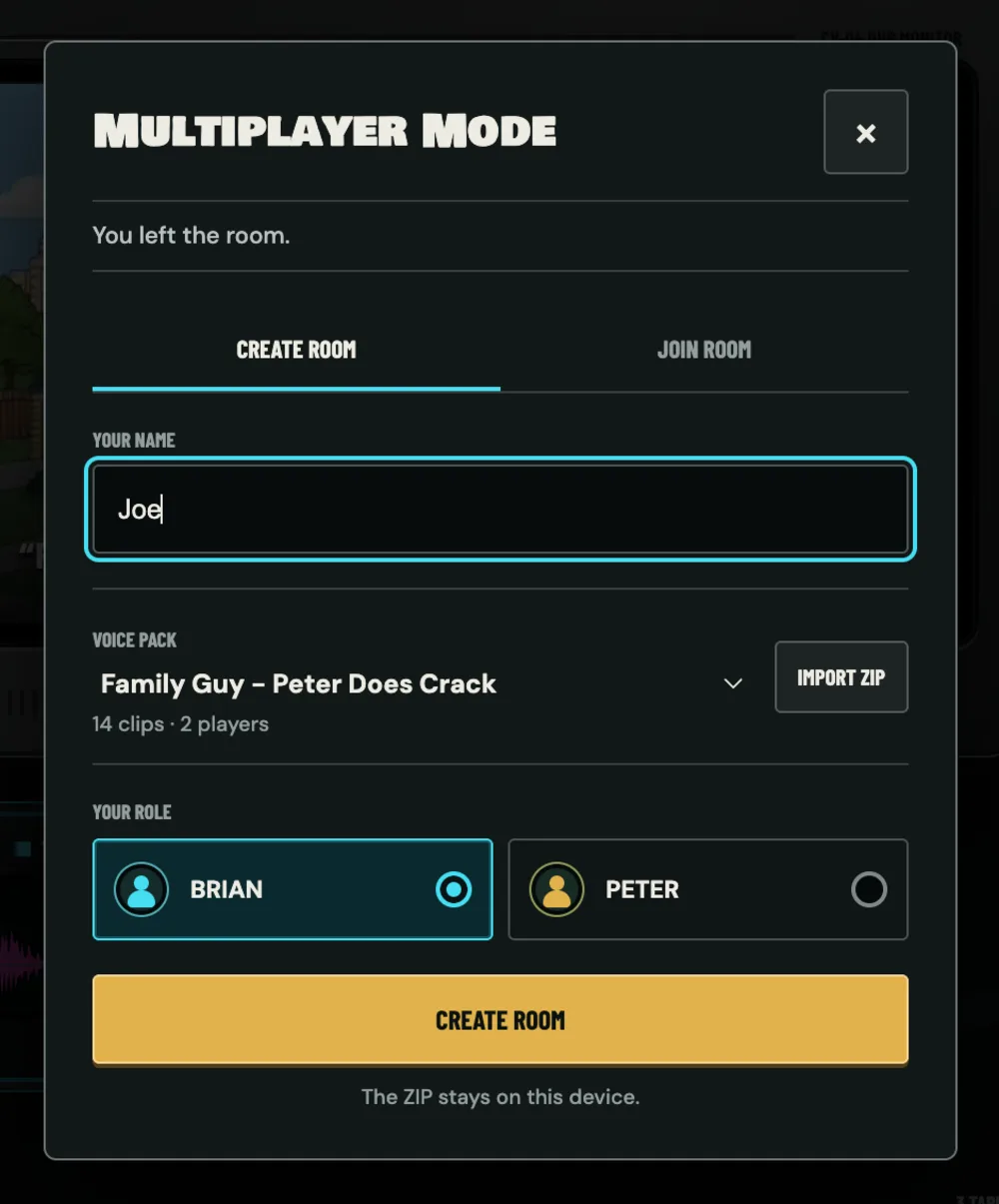
Press Open multiplayer, enter a name, choose the pack, pick your character, thenCreate room. The line under the pack name is the room size:14 clips · 2 players needs exactly two people.
A pack missing from the dropdown is ineligible. Every role needs at least one line, and six speakers is the limit.
3. Invite the others
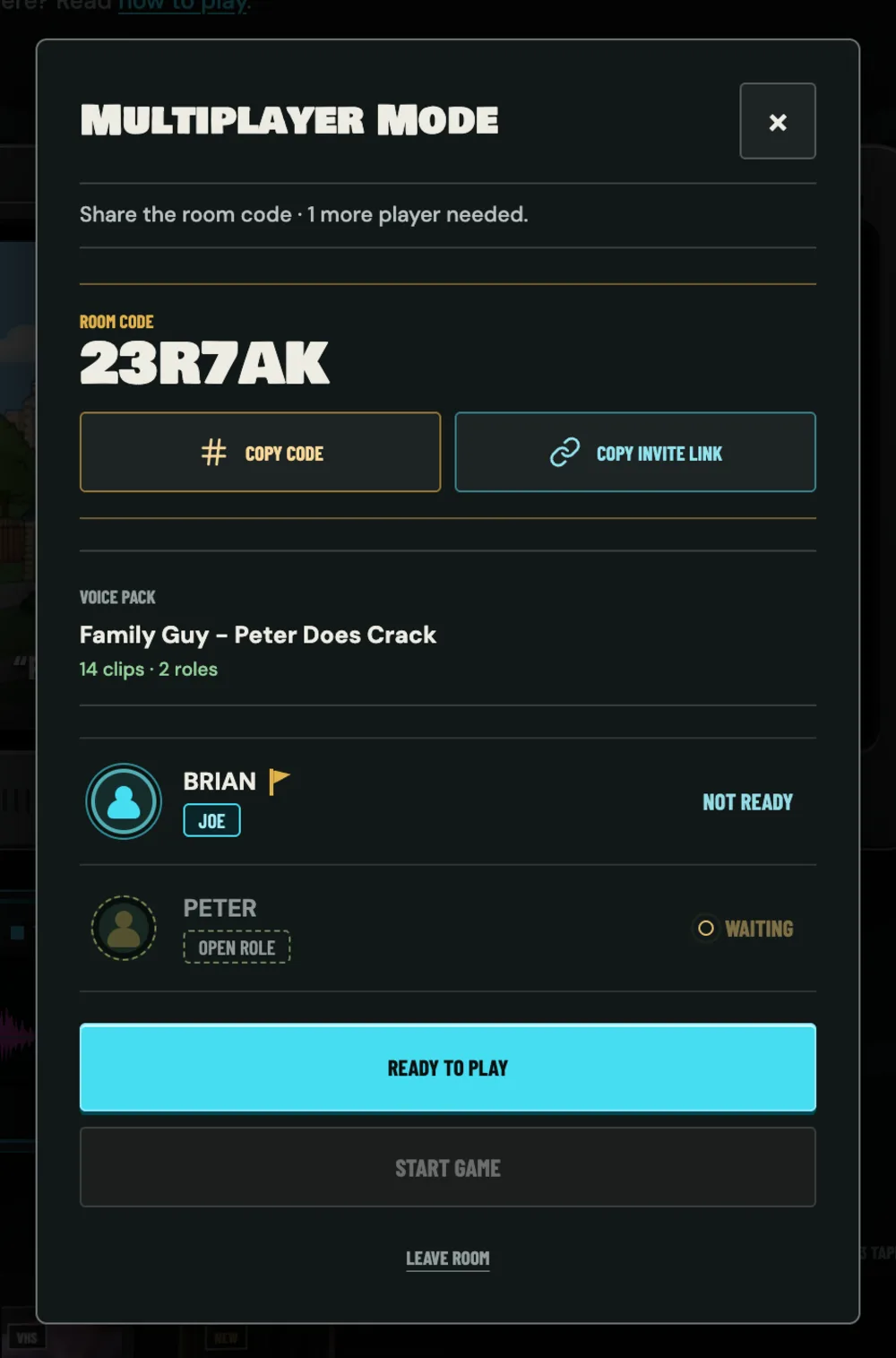
You get a six-character code such as 23R7AK. Copy invite link beats reading it out, since the link opens the join panel prefilled. To join by hand:Open multiplayer → Join room → code → name → one of the free roles.
4. Start the game
Unclaimed roles show OPEN ROLE and the status line tracks what is missing. Everyone pressesReady to play, then the host's Start game unlocks. A greyed-out ready button means that player's pack does not match, which sends you back to step 1.
5. Record your lines
Next assigned clip ▶ jumps between your own lines and skips everyone else's, and the record button will not arm on a character that is not yours. Hear clip plays the original,R records, retries are unlimited. Each take uploads as it is captured and reaches the other players in the background.
6. Watch and export
Waiting for the others appears once your own lines are done, counting what the room still needs. Keep the tab open. At the last take it becomes Everyone is done, andWatch dub plays the scene with each player in their role. Export works as it does in solo.
Worth knowing
- Only the voice takes are uploaded, only to the room, and they are deleted within 24 hours.
- Closed the tab by accident? Rejoin the same room in the same role. Shared takes survive.
- If a player leaves, their role reopens and their unrecorded lines wait for a replacement.
- For your own video, build it in the Pack Maker, tag each line with its speaker, then send that ZIP.
Open the studio and try a two-character pack with one friend.